
01
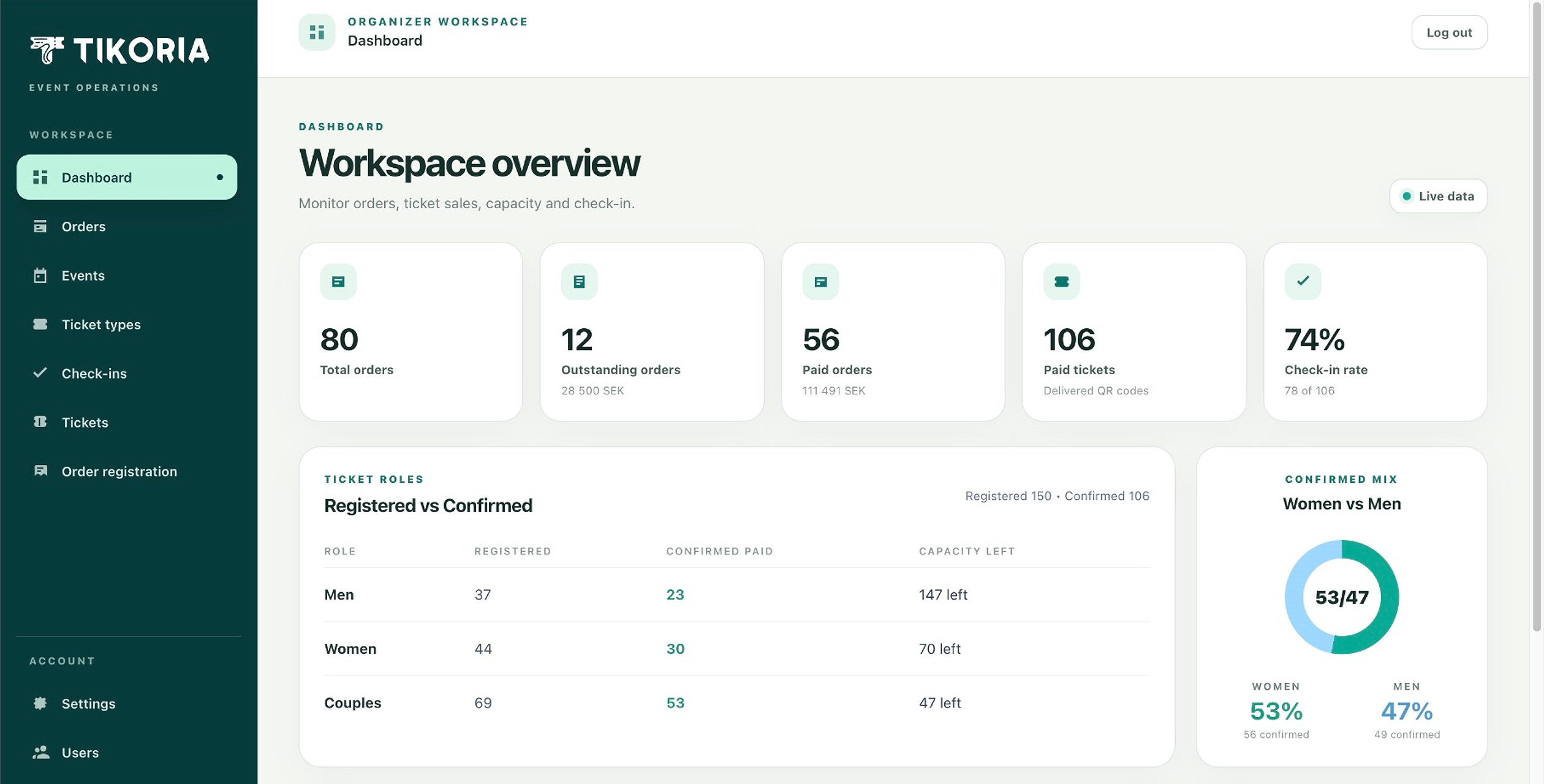
Operational dashboard
See total, paid, and outstanding orders, revenue, delivered tickets, check-in rate, role mix, and capacity at a glance.
Event registration software
Tikoria connects the public ticket-buying experience with the operational tools your team needs to manage orders, attendees, payments, and the door.
Built-in control room
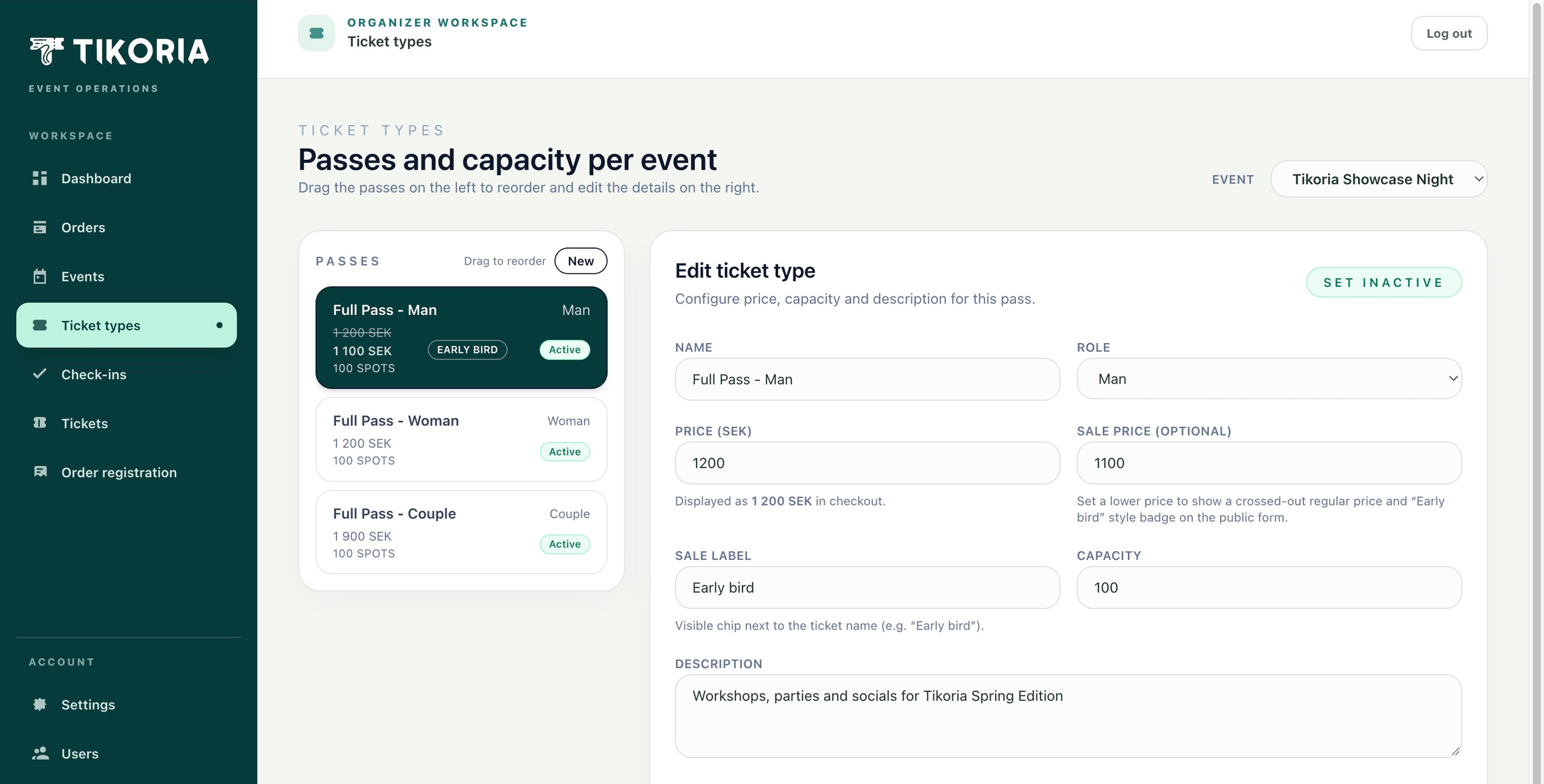
Ticket configuration is part of the same system as sales and check-in. Set names, roles, prices, early-bird offers, descriptions, capacity, and active state while keeping the event context visible.
The complete event workflow
Ticket sales create the operational data used later by finance, attendee support, and the entrance team. Tikoria keeps that chain connected.
See total, paid, and outstanding orders, revenue, delivered tickets, check-in rate, role mix, and capacity at a glance.
Search buyers and guests, follow payment status, resend tickets, register orders manually, and keep attendee data together.
Create and reorder passes, set standard or early-bird pricing, control capacity, and activate offers per event.
Validate unique ticket QR codes, protect door access, and see whether a guest has already checked in.
Guest-facing by design
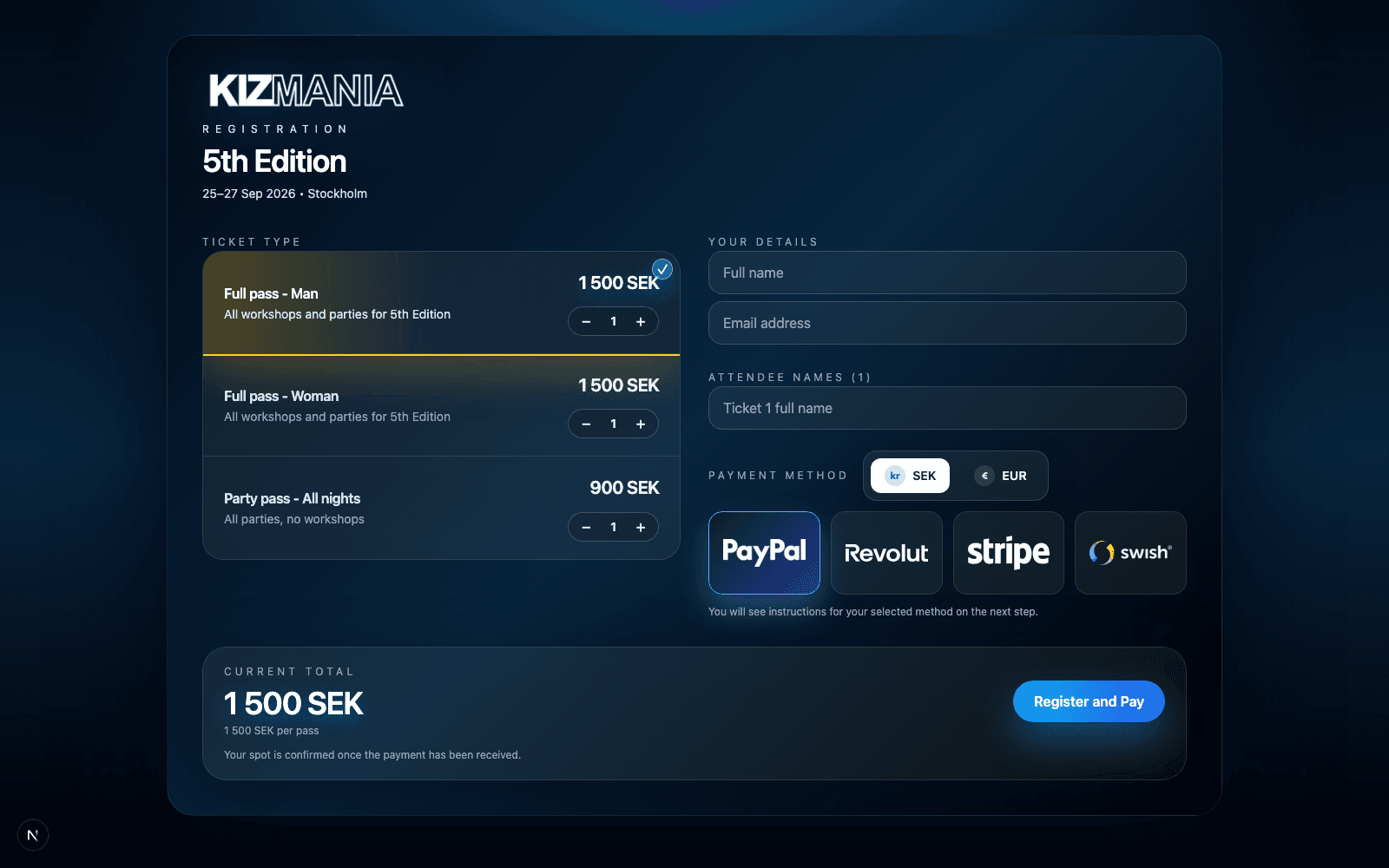
The organizer's logo, visual theme, event information, tickets, and payment choices stay together in a direct experience that works across screen sizes.
Explore online ticket salesMade for varied formats
Organize several ticket types and keep registration details available throughout the event lifecycle.
Support role-based or paired ticket formats alongside ordinary passes and party tickets.
Give guests a direct branded purchase path and equip the entrance team with QR validation.
Control ticket capacity and collect the attendee information needed to prepare the session.
A connected event operation